Setup guide
How to Set Up IPTV in Ireland on Any Device
This guide shows you how to set up IPTV in Ireland on a Firestick, Android TV, Samsung or LG Smart TV, iPhone, PC or MAG box. Most people are watching within five minutes – and if you get stuck, our team will walk you through it on WhatsApp.
How to Set Up IPTV in Ireland: What You Need First
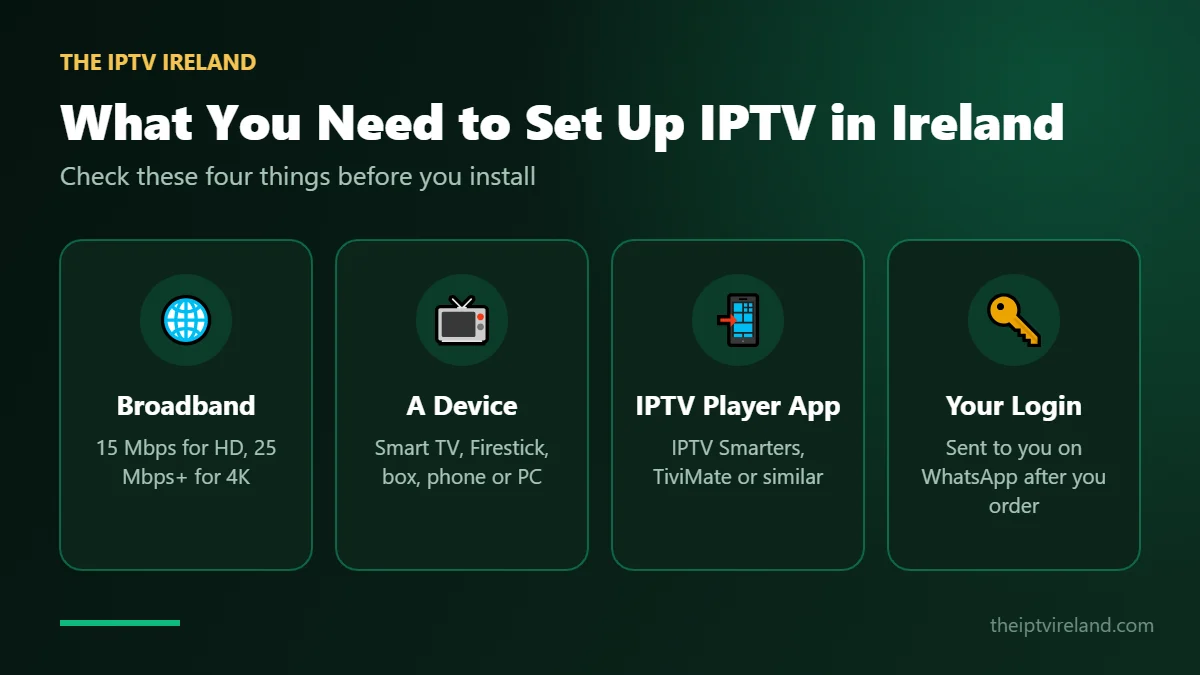
Every installation uses the same three things:
- Your login details – username, password and server URL (Xtream Codes) or an M3U link. You receive these on WhatsApp after ordering or requesting a free trial.
- An IPTV app for your device – we recommend IPTV Smarters Pro or TiviMate and tell you which suits your TV best.
- A stable broadband connection – 10 Mbps for HD and 25 Mbps or more for 4K. Ethernet is always more stable than Wi-Fi.
No login yet? Request a free IPTV trial or choose a plan on the subscription page.
Set Up IPTV on Amazon Firestick & Fire TV
Here is how to set up IPTV in Ireland on a Firestick – the most popular way to watch on any TV with an HDMI port.
- On the Firestick home screen, open Find › Search, search for Downloader and install it.
- Go to Settings › My Fire TV › Developer Options and allow Install unknown apps for Downloader. (If Developer Options is hidden, open About and click your device name 7 times.)
- Open Downloader and enter the IPTV app code or link we send you on WhatsApp.
- Install the app, open it and choose Login with Xtream Codes API.
- Enter any name, then your username, password and server URL exactly as sent, and press Add User.
- Wait for channels, films and series to load – then start watching.
Tip: restart your Firestick once a week and keep it close to the router, or use an Ethernet adapter, for the smoothest live sport.
Set Up IPTV on Android TV, Google TV & Android Boxes
Android TV devices such as Nvidia Shield, Chromecast with Google TV and TVs from Sony, Philips, TCL and Hisense work perfectly.
- Open the Google Play Store.
- Search for a supported IPTV app (for example IPTV Smarters Pro or TiviMate) and install it.
- Open the app and choose Xtream Codes.
- Enter your server URL, username and password.
- Let the playlist and TV guide load, then pick a channel.
Set Up IPTV on Samsung & LG Smart TVs
Samsung (Tizen) and LG (webOS) TVs use their own app stores, so the available apps depend on the model and year.
- Open the Samsung Apps or LG Content Store.
- Search for a compatible IPTV player – send us your TV model and we will recommend the best one.
- Install the app and note the MAC address or device key it shows, if it asks for one.
- Send that to us on WhatsApp, or enter your Xtream Codes details directly if the app supports it.
- Restart the app – your channels will appear.
Tip: if your Smart TV app is slow, a Firestick or Android box plugged into the TV usually gives a smoother experience.
Set Up IPTV on iPhone, iPad & Apple TV
Apple devices use IPTV player apps from the App Store.
- Open the App Store and search for an IPTV player that supports Xtream Codes or M3U.
- Install it and choose Add Playlist › Xtream Codes.
- Enter your server URL, username and password.
- Let the channel list and guide download, then start watching.
Set Up IPTV on Windows PC & Mac
You can watch on your computer with a desktop IPTV player or with VLC.
- Download a desktop IPTV player, or install VLC media player.
- In an IPTV player: add a new user with your Xtream Codes details.
- In VLC: go to Media › Open Network Stream and paste your M3U link.
- Open the playlist and choose a channel.
Set Up IPTV on MAG & Formuler Boxes
MAG and Formuler boxes connect through a portal URL linked to the box MAC address.
- Find the MAC address on the sticker under the box or in Settings › Device Info.
- Send it to us on WhatsApp when you order or request a trial.
- On the box go to Settings › Servers › Portals.
- Enter a portal name and the portal URL we send you.
- Save, restart the box and your channels load automatically.
IPTV Troubleshooting: Quick Fixes
Channels are buffering or freezing
Run a speed test, move closer to the router or use Ethernet, close other streaming apps and restart your device. Try the HD version of the channel. If it continues, send us the channel name.
The app says "invalid login"
Check the username, password and server URL for spaces or typos – they are case-sensitive. Copy and paste them from WhatsApp.
The TV guide is empty
Choose "Update EPG" or "Refresh playlist" in the app settings and wait a few minutes. Make sure your device time zone is set to Dublin.
Films or series will not play
Update the app or try another player such as VLC. Some older Smart TV apps do not support every video format.
How to Set Up IPTV in Ireland on Any Device: Summary
Whatever device you use, how to set up IPTV in Ireland always comes down to the same three steps: install a trusted player app, enter the login details we send you on WhatsApp, and let the channel list load. If the picture buffers, check your connection first – ComReg suggests testing your speed over a cable to your router (ComReg – All About Broadband), and Netflix recommends 15 Mbps or more for 4K.
Still choosing a service? Read our best IPTV Ireland buyer’s guide, compare IPTV providers in Ireland, or start a free 24-hour IPTV trial so you can practise how to set up IPTV in Ireland before you buy. When you are ready, pick one of our IPTV subscription plans – and if you get stuck at any step, our support team will walk you through it.
Still Need Help Setting Up IPTV?
Send us your device model and a photo of the screen you are stuck on – we will guide you step by step on WhatsApp, 24/7.